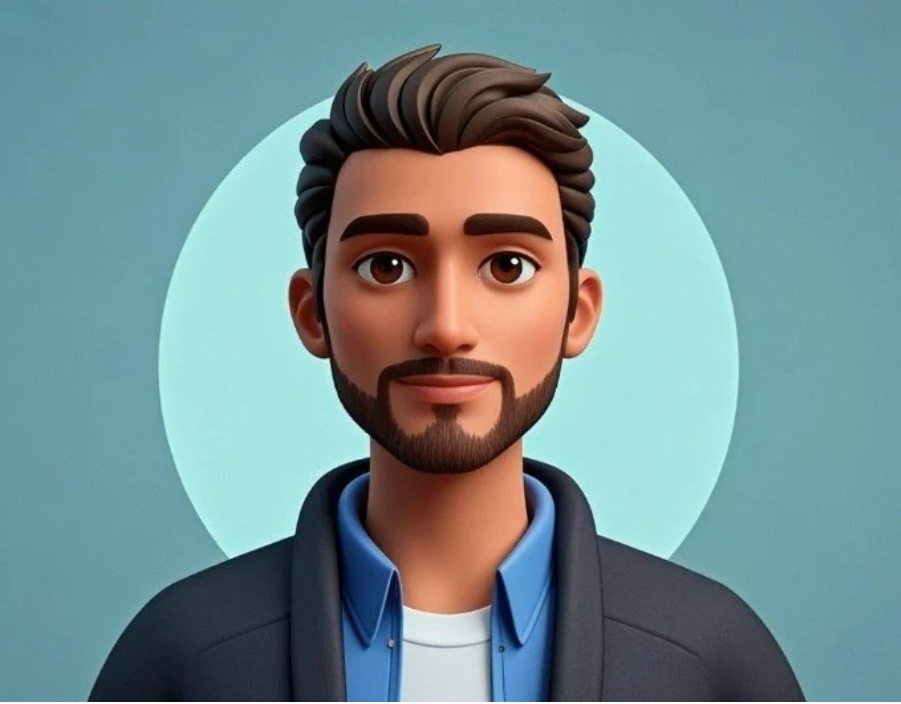
In today’s digital world, your profile picture is more than just an image — it’s your first impression. Whether it’s on LinkedIn, Instagram, Twitter, or gaming platforms, the way you present yourself visually can make a huge difference in how others perceive you. But not everyone has the time, tools, or design skills to create a polished, professional-looking profile picture. That’s where a profile picture generator comes in handy.
These online tools make it simple for anyone to design a unique, attractive, and high-quality avatar in just a few minutes — without needing professional editing experience or expensive software.
Why Your Profile Picture Matters
Before diving into how to create your perfect avatar, let’s understand why your profile picture is so important.
Your profile picture serves as your digital identity. Whether you’re a business professional, a student, a gamer, or a social media influencer — it’s often the first thing people notice when they visit your profile. A great image can:
- Instantly attract attention
- Build trust and credibility
- Reflect your personality or brand
- Increase engagement on social media
- Make your profile stand out from the crowd
In short, your profile picture is the visual representation of who you are online.
What Is a Profile Picture Generator?
A profile picture generator is an online tool that helps you design a custom avatar or profile photo using ready-made templates, filters, and editing options. Instead of struggling with complex design software, you can create a stunning image in just a few clicks.
One of the best options available today is the Adobe Express Profile Picture Generator. It allows users to create stylish, professional-looking avatars for free — perfect for social media, gaming platforms, or business profiles.
How to Create Your Avatar Using a Free Profile Picture Generator
Creating your perfect avatar doesn’t have to be complicated. With a few simple steps, you can have a polished profile picture ready to use across all your online accounts.
Step 1: Choose the Right Tool
Head over to the Adobe Express Profile Picture Generator. It’s a user-friendly, browser-based tool that doesn’t require any downloads or prior experience.
Step 2: Upload or Start from Scratch
You can upload a photo of yourself or start with a blank canvas to design an avatar. The platform provides intuitive options for customization, including backgrounds, colors, shapes, and more.
Step 3: Customize Your Style
This is where creativity comes in. Use different filters, lighting effects, and styles to make your profile picture reflect your personality. You can adjust the tone, brightness, and saturation — or even use artistic effects to give your avatar a unique edge.
Step 4: Add Finishing Touches
Once your main design is ready, you can add elements like frames, borders, or text overlays to enhance your image. This is particularly useful if you want to use your profile picture for branding or social media promotions.
Step 5: Download and Use It Everywhere
After completing your design, download your image in high resolution. You can now upload it across your social media accounts, email profiles, websites, or even business cards.
Benefits of Using a Profile Picture Generator
Still wondering why you should use an online generator instead of hiring a designer or using traditional software? Here’s why:
Time-Saving: Create a stunning profile picture in minutes.
Cost-Free: Tools like Adobe Express are completely free to use.
No Design Skills Needed: Simple, drag-and-drop functionality.
Customizable: Choose styles, colors, and templates that match your personality or brand.
Consistent Branding: Create uniform avatars for all your online platforms.
These tools empower you to express yourself creatively while maintaining a professional, polished look.
Tips to Make Your Avatar Stand Out
- Keep it clear: Avoid cluttered backgrounds and focus on your face or main subject.
- Choose the right colors: Use shades that complement your skin tone or brand theme.
- Match your vibe: If you’re a professional, go for a clean and formal look. If you’re a gamer or creator, use bold, energetic designs.
- Use the same image across platforms: Consistency builds recognition and trust.
Why Adobe Express Profile Picture Generator Stands Out
Among countless online tools, Adobe Express is known for its quality, flexibility, and ease of use. It offers professionally designed templates and a vast library of customization options — all available in one place.
Whether you want a fun, cartoon-style avatar or a professional headshot, the Adobe tool helps you achieve it effortlessly. Plus, being a product from Adobe, it ensures premium design quality that few other free tools can match.
Final Thoughts
Your profile picture is your online signature — it speaks before you do. With tools like the Adobe Express Profile Picture Generator, you no longer need to rely on photographers or expensive editing software to make a strong impression.
In just a few minutes, you can design a creative, professional, and eye-catching avatar that perfectly represents who you are.